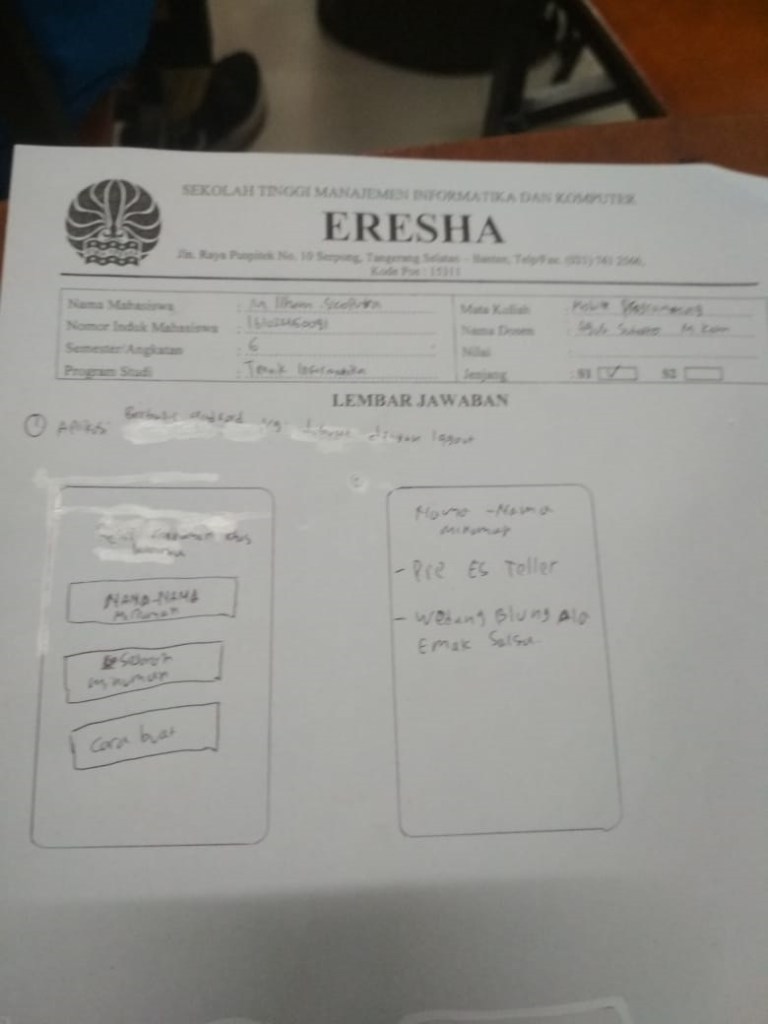
Membuat aplikasi di Moblie untuk Sayarat untuk memenuhi ujian tengah semester mata kuliah Moblie Programing,Berikut ini langkah untuk membuat aplikasi menu minuman tradisional.
Pertama tama yang di buat depan halaman depan saat kita buka, Mengunakan boutton dan textview.
mainactivity.java
package android.utsilham;

import androidx.appcompat.app.AppCompatActivity;

import android.content.Intent;
import android.os.Bundle;
import android.view.View;
import android.widget.Button;

public class MainActivity extends AppCompatActivity {
    private Button button;

    @Override
    protected void onCreate(Bundle savedInstanceState) {
        super.onCreate(savedInstanceState);
        setContentView(R.layout.activity_main);

        button = (Button) findViewById(R.id.bt1);
        button.setOnClickListener(new View.OnClickListener() {
            @Override
            public void onClick(View v) {
                openActivity1();
            }
        });

        button = (Button) findViewById(R.id.bt2);
        button.setOnClickListener(new View.OnClickListener() {
            @Override
            public void onClick(View v) {
                openActivity2();
            }
        });

        button = (Button) findViewById(R.id.bt3);
        button.setOnClickListener(new View.OnClickListener() {
            @Override
            public void onClick(View v) {
                openActivity3();
            }
        });
    }

    public void openActivity1() {
        Intent intent = new Intent(this, activity1.class);
        startActivity(intent);
    }
    public void openActivity2() {
        Intent intent = new Intent(this, activity2.class);
        startActivity(intent);
    }
    public void openActivity3() {
        Intent intent = new Intent(this, activity3.class);
        startActivity(intent);
    }

    }
activity_main.xml
<?xml version="1.0" encoding="utf-8"?>
<RelativeLayout xmlns:android="http://schemas.android.com/apk/res/android"
    xmlns:app="http://schemas.android.com/apk/res-auto"
    xmlns:tools="http://schemas.android.com/tools"
    android:layout_width="match_parent"
    android:layout_height="match_parent"
    android:background="@android:color/holo_orange_light"
    tools:context=".MainActivity">

    <TextView
        android:layout_width="198dp"
        android:layout_height="92dp"
        android:layout_alignParentLeft="true"
        android:layout_alignParentTop="true"
        android:layout_centerVertical="true"
        android:layout_marginStart="85dp"
        android:layout_marginLeft="85dp"
        android:layout_marginTop="66dp"
        android:text="Minuman-minuman Tradisiona Indonesia"
        android:textColor="@android:color/holo_red_light"
        android:textSize="20dp" />

    <Button
        android:id="@+id/bt1"
        android:layout_width="277dp"
        android:layout_height="65dp"
        android:layout_alignParentStart="true"
        android:layout_alignParentLeft="true"
        android:layout_alignParentTop="true"
        android:layout_centerHorizontal="true"
        android:layout_marginStart="49dp"
        android:layout_marginLeft="49dp"
        android:layout_marginTop="166dp"
        android:background="@android:color/holo_red_light"
        android:text="NAMA-NAMA MINUMAN" />

    <Button
        android:id="@+id/bt2"
        android:layout_width="278dp"
        android:layout_height="66dp"
        android:layout_alignParentStart="true"
        android:layout_alignParentLeft="true"
        android:layout_alignParentTop="true"
        android:layout_centerHorizontal="true"
        android:layout_marginStart="51dp"
        android:layout_marginLeft="51dp"
        android:layout_marginTop="303dp"
        android:background="@android:color/holo_red_light"
        android:text="SEJARAH MENUMAN TRADISIONAL" />

    <Button
        android:id="@+id/bt3"
        android:layout_width="107dp"
        android:layout_height="36dp"
        android:layout_alignParentTop="true"
        android:layout_centerHorizontal="true"
        android:layout_marginStart="35dp"
        android:layout_marginLeft="134dp"
        android:layout_marginTop="421dp"
        android:background="@android:color/holo_red_light"
        android:text="ebout" />

</RelativeLayout>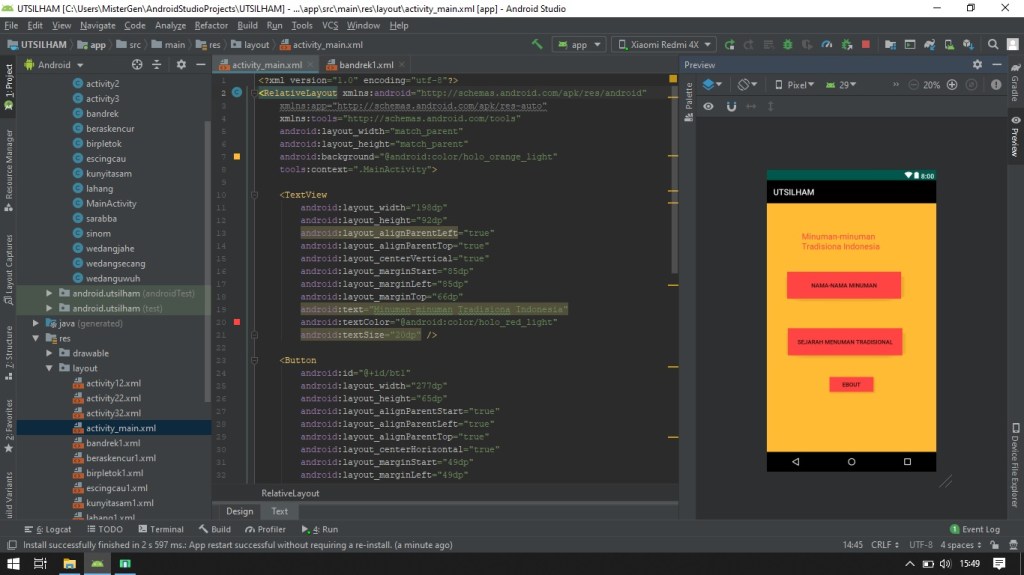
Ini menampilkan button dan backgroud,harus di tambahkan new dreawle source file.
activity1.java
package android.utsilham;

import androidx.appcompat.app.AppCompatActivity;

import android.os.Bundle;
import android.app.Activity;
import android.view.*;
import android.widget.AdapterView;
import android.widget.ArrayAdapter;
import android.widget.ListView;
import android.widget.Toast;
import android.content.Intent;


public class activity1 extends AppCompatActivity {
    ListView LV;
    String [] minuman={"Kunyit asam"," Beras kencur","Sinom","Wedang Secang","Wedang Jahe","Sarabba",
            "Bandrek","Lahang","Bir Pletok","Es Cingcau","Wedang Uwuh"};

    @Override
    protected void onCreate(Bundle savedInstanceState) {
        super.onCreate(savedInstanceState);
        setContentView(R.layout.activity12);

        LV = (ListView) findViewById(R.id.listView1);
        ArrayAdapter adapter = new ArrayAdapter(this, android.R.layout.simple_list_item_1, minuman);
        LV.setAdapter(adapter);
        LV.setOnItemClickListener(new AdapterView.OnItemClickListener() {

            @Override
            public void onItemClick(AdapterView<?> arg0, View arg1, int arg2,
                                    long arg3) {
// TODO Auto-generated method stub
                int itemke = arg2;
                String itemText = (String) LV.getItemAtPosition(arg2);
                Toast.makeText(getBaseContext(), "Anda Meng Klik " + itemText, Toast.LENGTH_LONG).show();
                if (itemText.equals("Kunyit asam")) {
                    Intent SeninIntent = new Intent(arg0.getContext(), kunyitasam.class);
                    startActivityForResult(SeninIntent, 0);

                }
                if (itemText.equals("Beras kencur")) {
                    Intent SeninIntent = new Intent(arg0.getContext(), beraskencur.class);
                    startActivityForResult(SeninIntent, 0);

                }
                if (itemText.equals("Sinom")) {
                    Intent SeninIntent = new Intent(arg0.getContext(), sinom.class);
                    startActivityForResult(SeninIntent, 0);

                }
                if (itemText.equals("Wedang Secang")) {
                    Intent SeninIntent = new Intent(arg0.getContext(), wedangsecang.class);
                    startActivityForResult(SeninIntent, 0);

                }
                if (itemText.equals("Wedang Jahe")) {
                    Intent SeninIntent = new Intent(arg0.getContext(), wedangjahe.class);
                    startActivityForResult(SeninIntent, 0);

                }
                if (itemText.equals("Sarabba")) {
                    Intent SeninIntent = new Intent(arg0.getContext(), sarabba.class);
                    startActivityForResult(SeninIntent, 0);

                }
                if (itemText.equals("Bandrek")) {
                    Intent SeninIntent = new Intent(arg0.getContext(), bandrek.class);
                    startActivityForResult(SeninIntent, 0);

                }
                if (itemText.equals("Lahang")) {
                    Intent SeninIntent = new Intent(arg0.getContext(), lahang.class);
                    startActivityForResult(SeninIntent, 0);

                }
                if (itemText.equals("Bir Pletok")) {
                    Intent SeninIntent = new Intent(arg0.getContext(), birpletok.class);
                    startActivityForResult(SeninIntent, 0);

                }
                if (itemText.equals("Es Cingcau")) {
                    Intent SeninIntent = new Intent(arg0.getContext(), escingcau.class);
                    startActivityForResult(SeninIntent, 0);

                }
                if (itemText.equals("Wedang Uwuh")) {
                    Intent SeninIntent = new Intent(arg0.getContext(), wedanguwuh.class);
                    startActivityForResult(SeninIntent, 0);

                }

            }
        });

    }}
activity12.xml
<?xml version="1.0" encoding="utf-8"?>
<LinearLayout xmlns:android="http://schemas.android.com/apk/res/android"
    xmlns:tools="http://schemas.android.com/tools"
    android:layout_width="match_parent"
    android:layout_height="match_parent"
    android:orientation="vertical"
    android:background="@android:color/holo_orange_light"
    tools:context=".MainActivity" >

    <ListView
        android:id="@+id/listView1"
        android:layout_width="match_parent"
        android:layout_height="wrap_content"
        android:layout_centerHorizontal="true"
        android:layout_centerVertical="true" >
    </ListView>

</LinearLayout>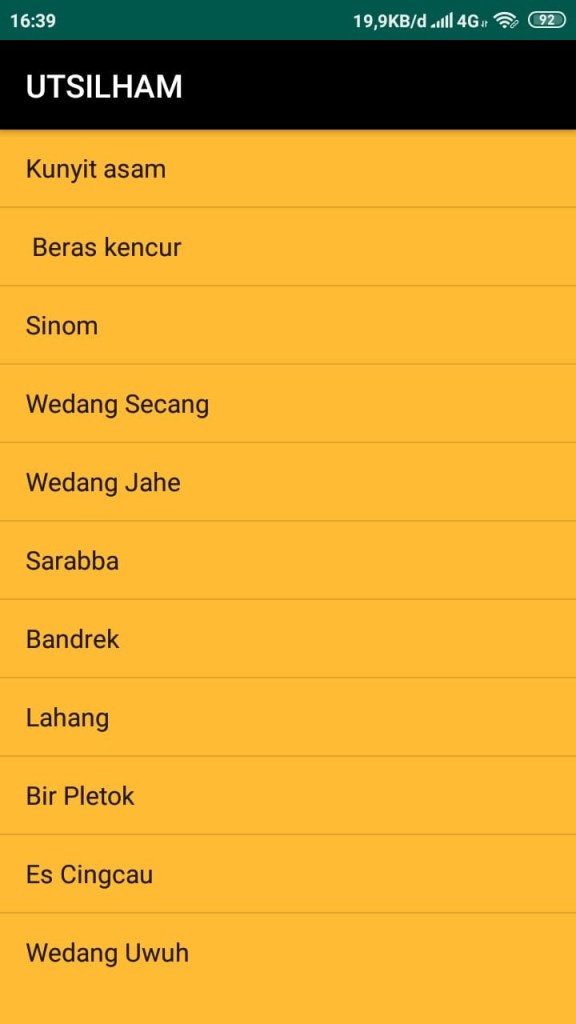
Selanjutnya perlu tambahkan activity baru kunyit asem komponen image,textview.
package android.utsilham;

import androidx.appcompat.app.AppCompatActivity;

import android.os.Bundle;

public class kunyitasam extends AppCompatActivity {

    @Override
    protected void onCreate(Bundle savedInstanceState) {
        super.onCreate(savedInstanceState);
        setContentView(R.layout.kunyitasam1);

        if (getSupportActionBar() != null) {
            getSupportActionBar().setTitle("Kunyit Asam");
        }
    }
}
<?xml version="1.0" encoding="utf-8"?>
<RelativeLayout xmlns:android="http://schemas.android.com/apk/res/android"
xmlns:app="http://schemas.android.com/apk/res-auto"
xmlns:tools="http://schemas.android.com/tools"
android:layout_width="match_parent"
android:layout_height="match_parent"
tools:context=".kunyitasam">
<ScrollView xmlns:android="http://schemas.android.com/apk/res/android"
android:id="@+id/activity_main"
android:layout_width="match_parent"
android:layout_height="match_parent"
android:background="@android:color/holo_orange_light">
<LinearLayout
android:layout_width="match_parent"
android:layout_height="wrap_content"
android:orientation="vertical">
<FrameLayout
android:layout_width="match_parent"
android:layout_height="wrap_content">
<ImageView
android:layout_width="match_parent"
android:layout_height="wrap_content"
android:adjustViewBounds="true"
android:scaleType="fitXY"
android:src="@drawable/kunyitasam1" />
</FrameLayout>
<TextView
android:layout_width="match_parent"
android:layout_height="wrap_content"
android:textSize="32sp"
android:text="Kunyit Asam"
android:layout_marginLeft="16dp"
android:layout_marginRight="16dp"
android:layout_marginTop="16dp"
android:layout_marginBottom="8dp"
android:textColor="@android:color/black"/>
<TextView
android:layout_width="match_parent"
android:layout_height="wrap_content"
android:text=""
android:layout_marginLeft="16dp"
android:layout_marginRight="16dp"
android:layout_marginBottom="16dp"
android:lineSpacingMultiplier="1"
android:textColor="@android:color/black"/>
<TextView
android:layout_width="match_parent"
android:layout_height="wrap_content"
android:text=""
android:textSize="12sp"
android:layout_marginLeft="16dp"
android:layout_marginRight="16dp"
android:layout_marginBottom="8dp"/>
<TableLayout
android:layout_width="match_parent"
android:layout_height="wrap_content"
android:layout_marginLeft="16dp"
android:layout_marginRight="16dp"
android:layout_marginBottom="16dp">
<TableRow
android:layout_width="match_parent"
android:layout_height="wrap_content"
android:layout_marginBottom="8dp">
<TextView
android:layout_width="wrap_content"
android:layout_height="wrap_content"
android:textSize="14sp"
android:layout_marginRight="16dp"
android:text="Bahan"/>
<TextView
android:layout_width="match_parent"
android:layout_height="wrap_content"
android:textSize="14sp"
android:layout_weight="1"
android:text="Kunyit,Asam Jawa,Air"
android:textColor="@android:color/black"/>
</TableRow>
<TableRow
android:layout_width="match_parent"
android:layout_height="wrap_content"
android:layout_marginBottom="8dp">
<TextView
android:layout_width="wrap_content"
android:layout_height="wrap_content"
android:textSize="14sp"
android:layout_marginRight="16dp"
android:text="Cara Buat"/>
<TextView
android:layout_width="match_parent"
android:layout_height="wrap_content"
android:textSize="14sp"
android:layout_weight="1"
android:text="mencuci bersih kunyit,kupas dan haluskan,rebus bersama asam jawa,garam dan air secujkupnya.Rebus hingga air mendidih."
android:textColor="@android:color/black"/>
</TableRow>
<TableRow
android:layout_width="match_parent"
android:layout_height="wrap_content"
android:layout_marginBottom="8dp">
<TextView
android:layout_width="wrap_content"
android:layout_height="wrap_content"
android:textSize="14sp"
android:layout_marginRight="16dp"
android:text="Asal"/>
<TextView
android:layout_width="match_parent"
android:layout_height="wrap_content"
android:textSize="14sp"
android:layout_weight="1"
android:text="Indonesia"
android:textColor="@android:color/black"/>
</TableRow>
</TableLayout>
<TextView
android:layout_width="match_parent"
android:layout_height="wrap_content"
android:text=""
android:textSize="12sp"
android:layout_marginLeft="16dp"
android:layout_marginRight="16dp"
android:layout_marginBottom="8dp"/>
</LinearLayout>
</ScrollView>
</RelativeLayout>Jangan lupa perlu menambahan gambar terlebih dahulu dalam folder draweble.
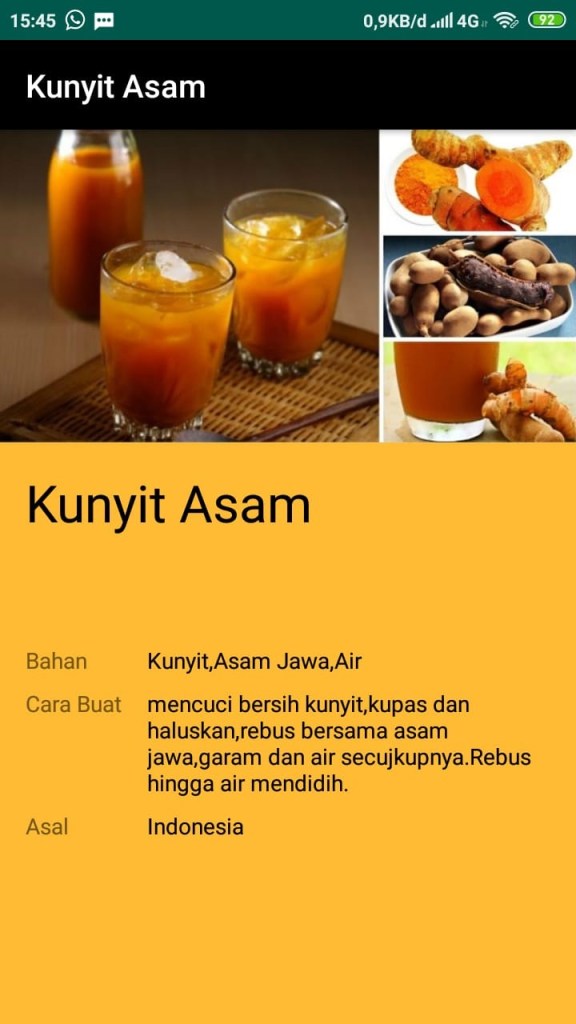
Lakukan hal yang sama untuk mengisi dari Activity atau minuman-minuman yang lain pada list view berikut hasil beberpa yang sudah di tambahpada list minuman tradisional.
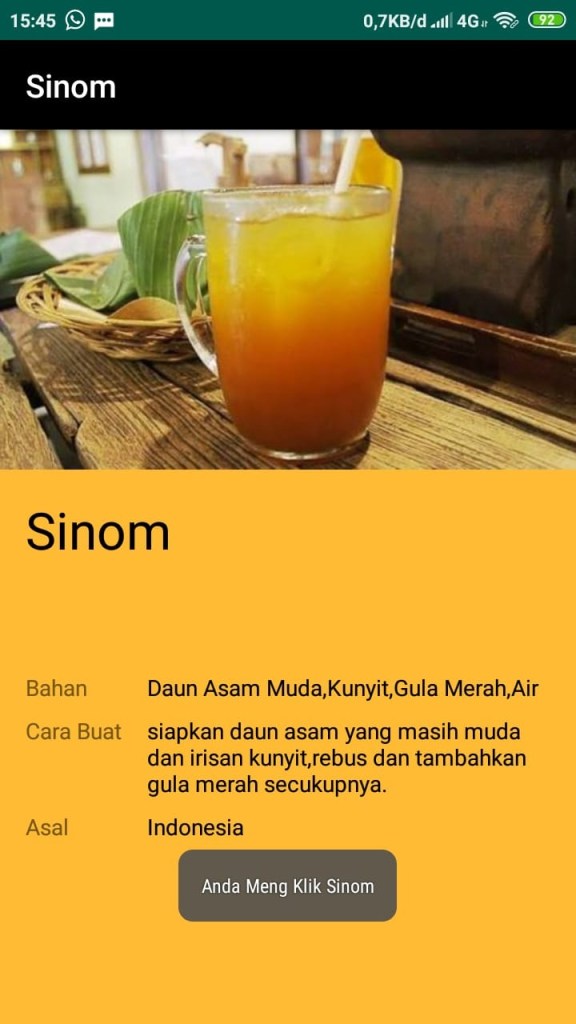
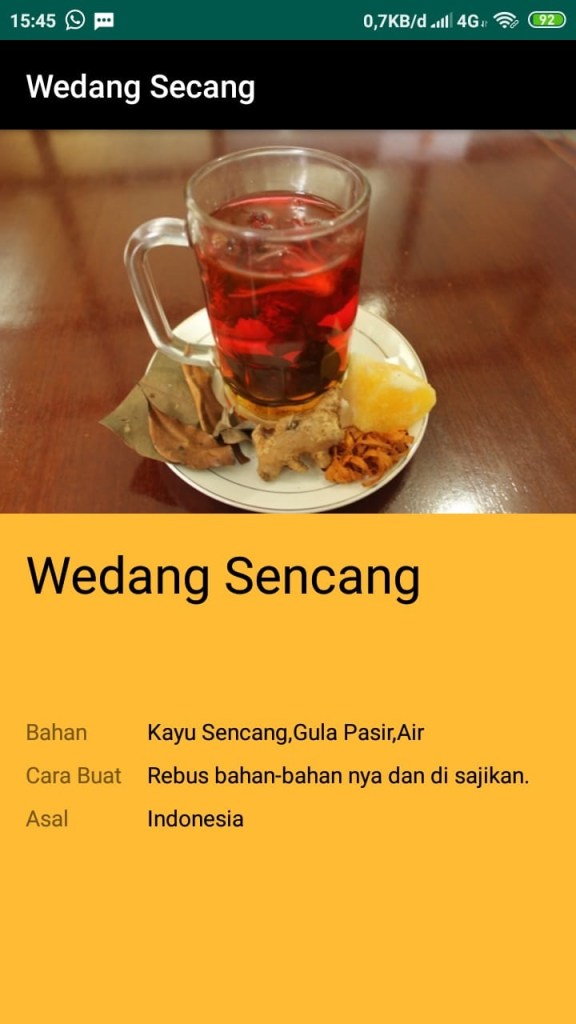
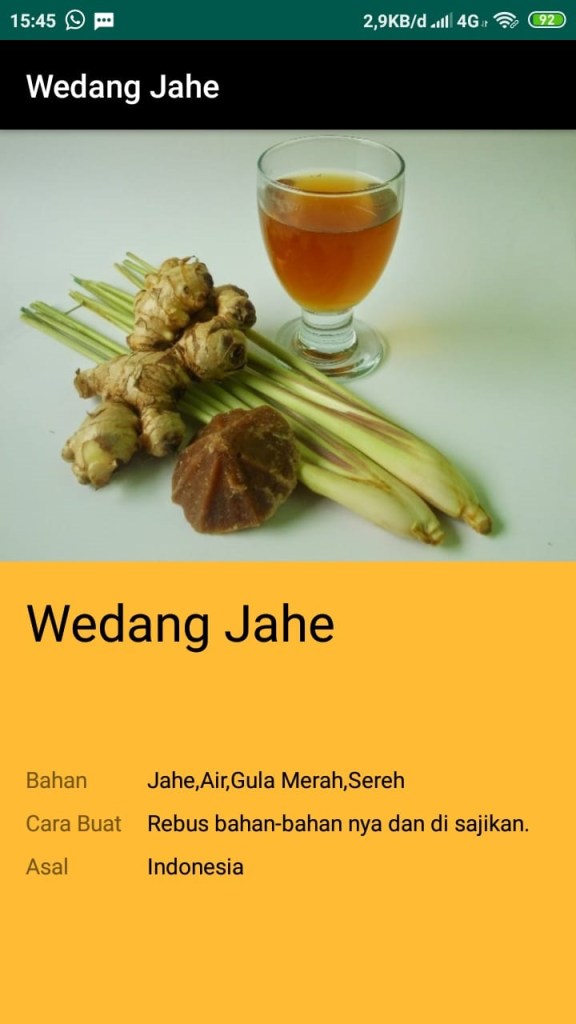
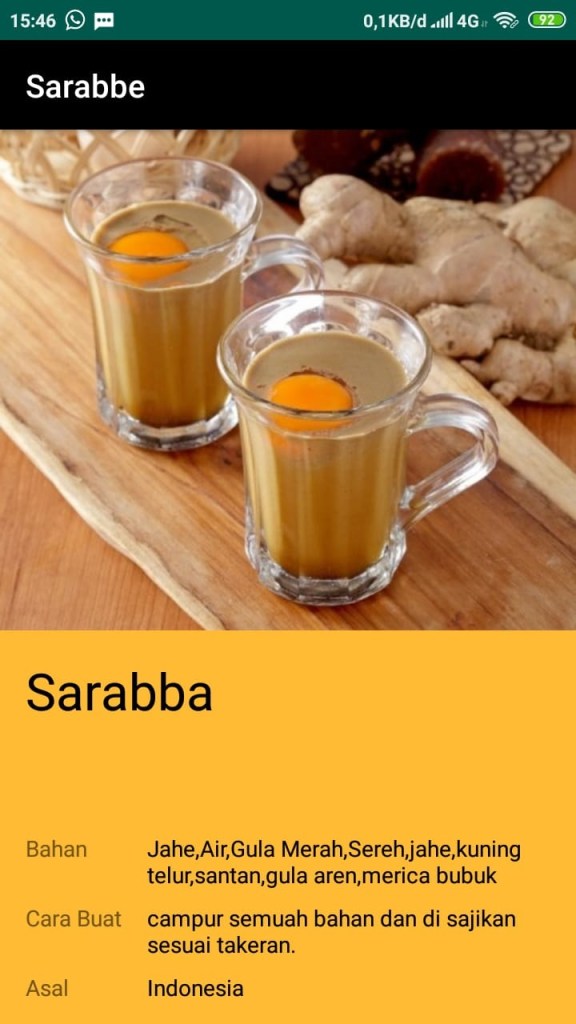
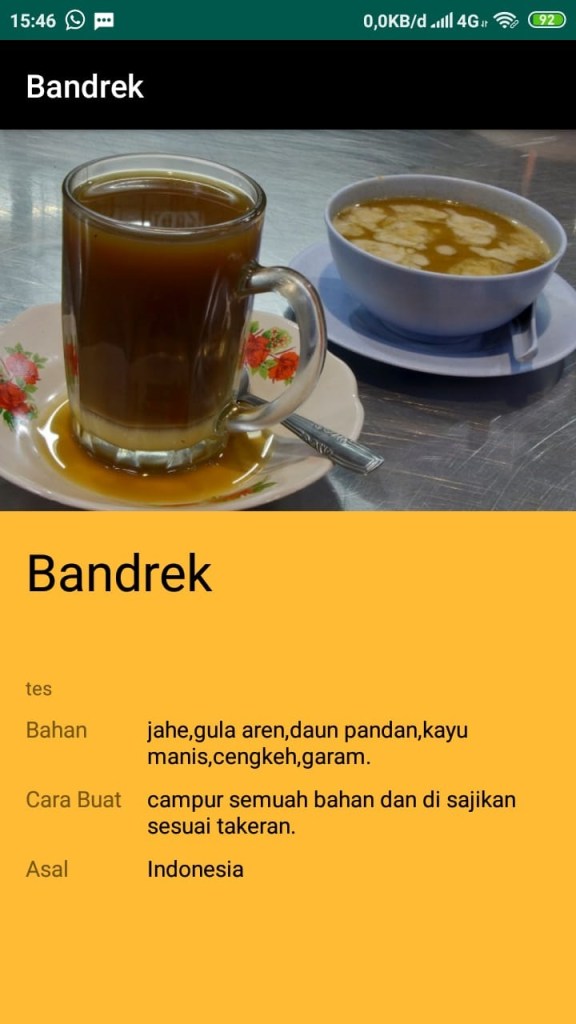
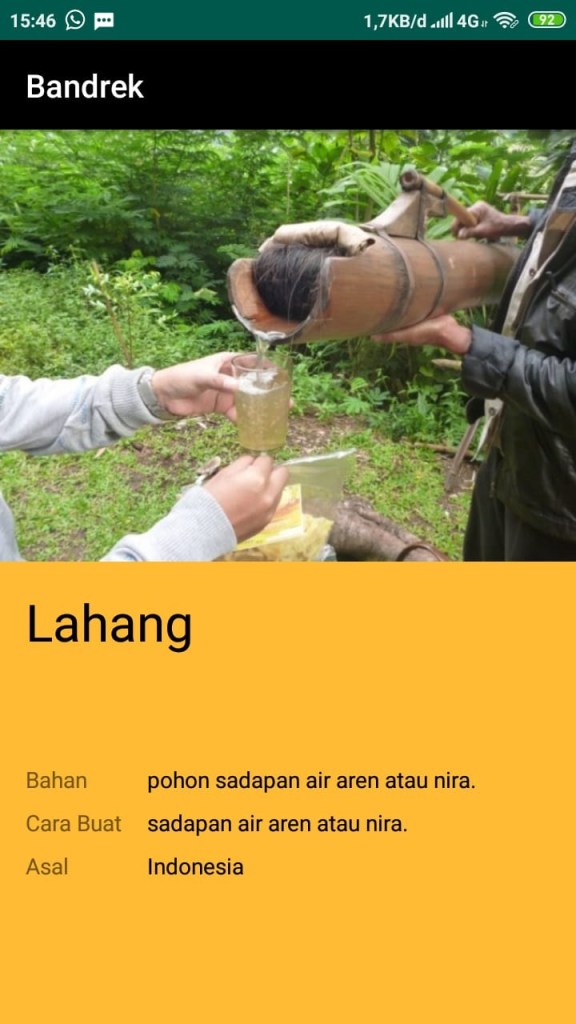
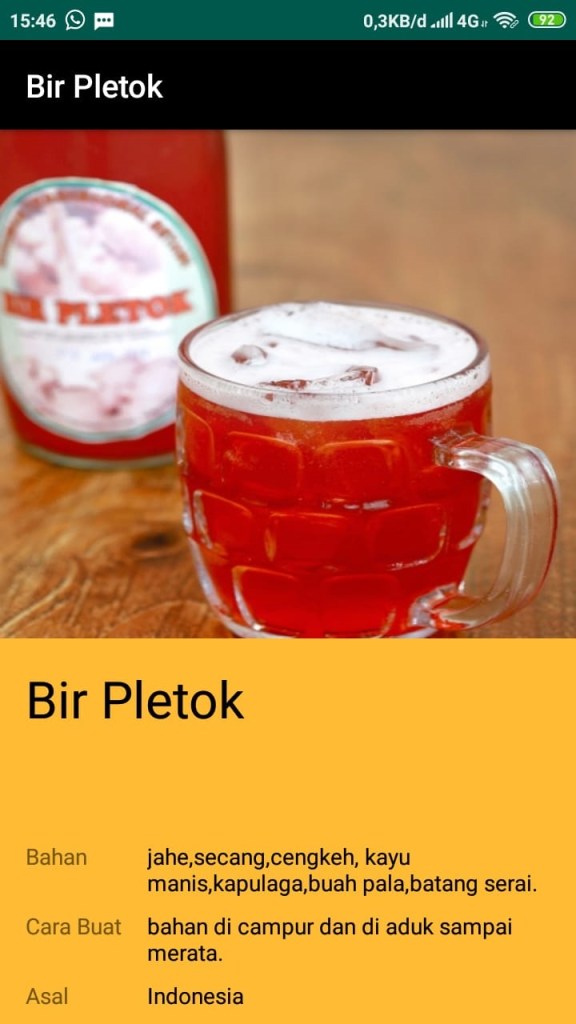
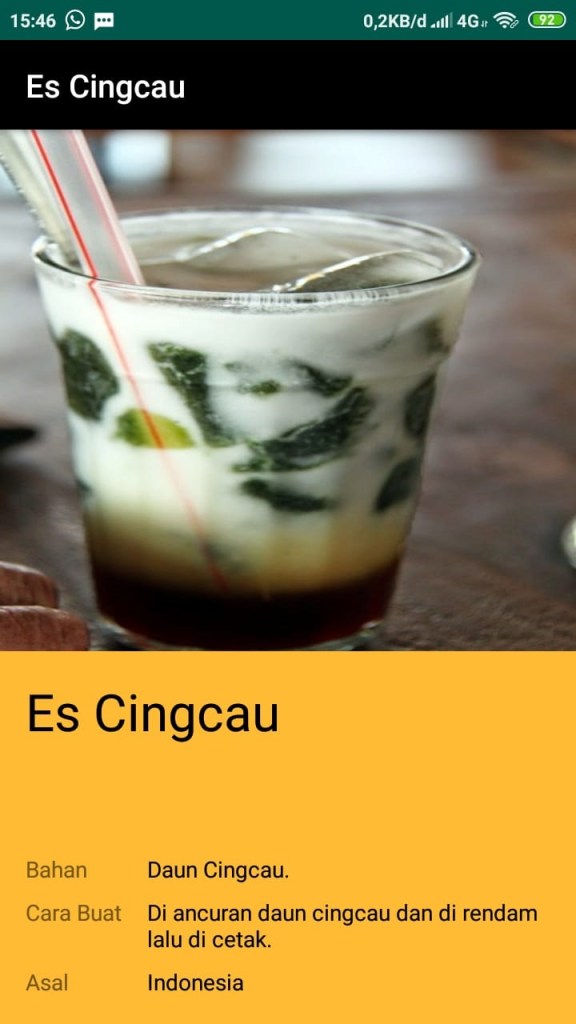
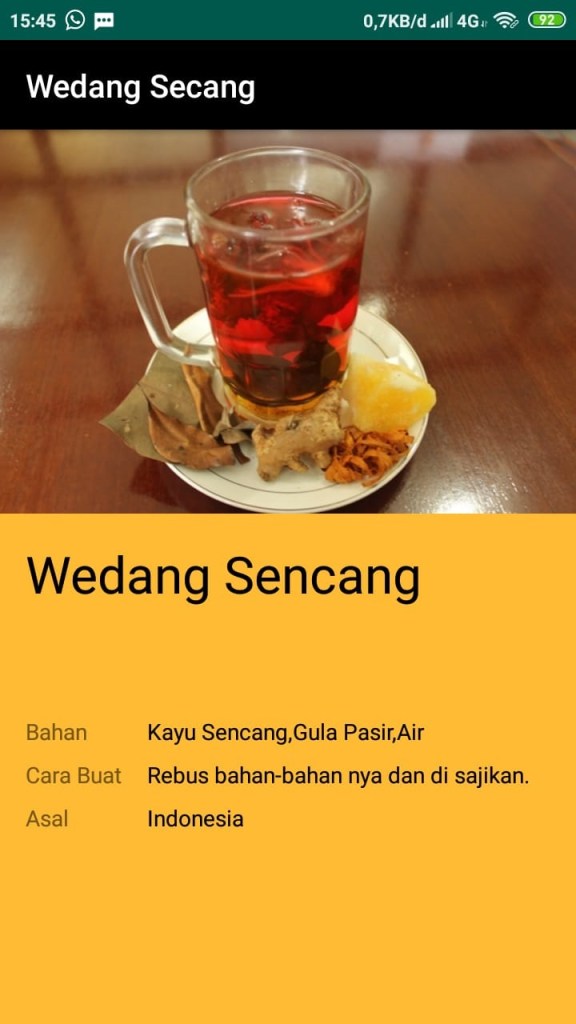
Selanjutnya membuat list view berikut.
activity1.java
package android.utsilham;

import android.os.Bundle;

import androidx.appcompat.app.AppCompatActivity;

public class activity2 extends AppCompatActivity {

    @Override
    protected void onCreate(Bundle savedInstanceState) {
        super.onCreate(savedInstanceState);
        setContentView(R.layout.activity22);

    }
}
activity22.xml
<?xml version="1.0" encoding="utf-8"?>
<RelativeLayout xmlns:android="http://schemas.android.com/apk/res/android"
    xmlns:app="http://schemas.android.com/apk/res-auto"
    xmlns:tools="http://schemas.android.com/tools"
    android:layout_width="match_parent"
    android:layout_height="match_parent"
    android:background="@android:color/holo_orange_light"
    tools:context=".activity2">

    <TextView
        android:layout_width="wrap_content"
        android:layout_height="wrap_content"
        android:layout_alignParentStart="true"
        android:layout_alignParentLeft="true"
        android:layout_alignParentBottom="true"
        android:layout_centerHorizontal="true"
        android:layout_marginStart="91dp"
        android:layout_marginLeft="91dp"
        android:layout_marginBottom="461dp"
        android:text="Sejarah Minuman Khas Indonesia"
        android:textColor="@android:color/background_dark" />

    <TextView
        android:layout_width="390dp"
        android:layout_height="wrap_content"
        android:layout_alignParentStart="true"
        android:layout_alignParentLeft="true"
        android:layout_alignParentBottom="true"
        android:layout_centerHorizontal="true"
        android:layout_marginStart="12dp"
        android:layout_marginLeft="12dp"
        android:layout_marginBottom="287dp"
        android:text="Pada zaman dahulu jamu ini banyak diminum,dan diproduksi oleh para wanita,sebab pada masa itu pria lebih berperan untuk mencari tumbuhan herbal alami sebagai bahan dasar mengolah jamu.Umumnya jamu diminum sebagai obat alami untuk menjaga kesehatan,mencegah,serta dapat menyembuhkan berbagai macam penyakit.Jamu pun disajikan dengan berbagai jenis, karena di Indonesia sendiri tanaman herbal berjumlah cukup banyak" />

    <TextView
        android:layout_width="wrap_content"
        android:layout_height="wrap_content"
        android:layout_alignParentStart="true"
        android:layout_alignParentLeft="true"
        android:layout_alignParentBottom="true"
        android:layout_centerInParent="true"
        android:layout_marginStart="119dp"
        android:layout_marginLeft="119dp"
        android:layout_marginBottom="226dp"
        android:text="Manfaat jamu Tradisioal"
        android:textColor="@android:color/background_dark" />

    <TextView
        android:layout_width="392dp"
        android:layout_height="wrap_content"
        android:layout_alignParentStart="true"
        android:layout_alignParentLeft="true"
        android:layout_alignParentBottom="true"
        android:layout_centerHorizontal="true"
        android:layout_marginStart="11dp"
        android:layout_marginLeft="11dp"
        android:layout_marginBottom="92dp"
        android:text="Sejarah minuman jamu sendiri banyak dikonsumsi untuk menjaga kesehatan tubuh, baik didalam maupun luar agar tetap sehat dan prima. Terdapat banyak jenis jamu yang populer di Indonesia, diantaranya ialah jamu beras kencur, jamu pahitan, jamu sehat laki-laki dan wanita, jamu kunyit asam, dan aneka jamu lainnya." />


</RelativeLayout>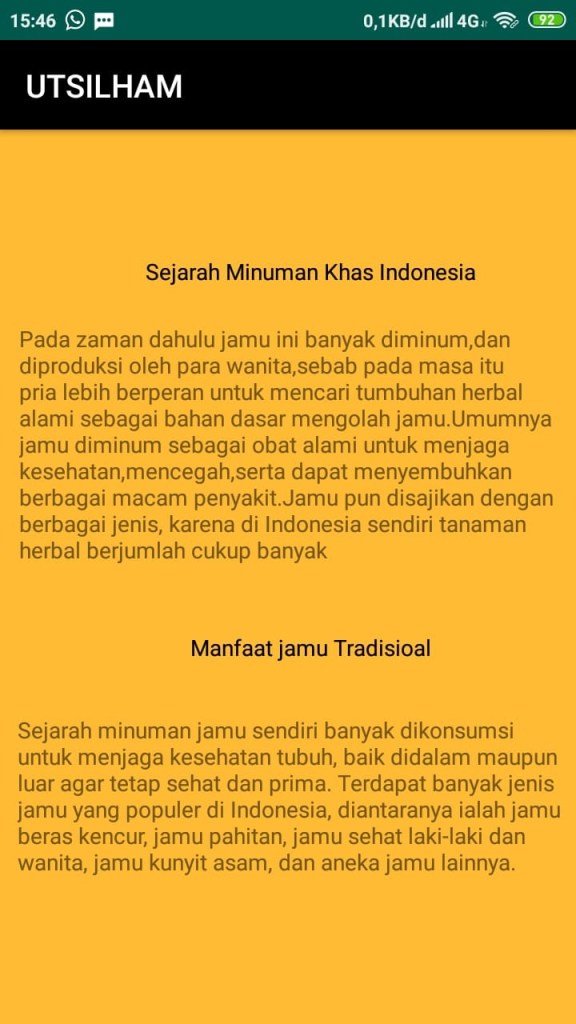
Selanjut nya membuat list view yang nama nya di ebout,Berikut srip nya.
activity3.java
package android.utsilham;

import android.os.Bundle;

import androidx.appcompat.app.AppCompatActivity;

public class activity3 extends AppCompatActivity {

    @Override
    protected void onCreate(Bundle savedInstanceState) {
        super.onCreate(savedInstanceState);
        setContentView(R.layout.activity32);

        }
    }
activity32.xml
<?xml version="1.0" encoding="utf-8"?>
<RelativeLayout xmlns:android="http://schemas.android.com/apk/res/android"
    xmlns:app="http://schemas.android.com/apk/res-auto"
    xmlns:tools="http://schemas.android.com/tools"
    android:layout_width="match_parent"
    android:layout_height="match_parent"
    android:background="@android:color/holo_orange_light"
    tools:context=".activity3">

    <TextView
        android:layout_width="wrap_content"
        android:layout_height="wrap_content"
        android:layout_alignParentBottom="true"
        android:layout_centerHorizontal="true"
        android:layout_marginBottom="327dp"
        android:text="Ujian UTS Mochamad Ilham Syaputra"/>

    <TextView
        android:layout_width="wrap_content"
        android:layout_height="wrap_content"
        android:layout_alignParentBottom="true"
        android:layout_centerHorizontal="true"
        android:layout_marginBottom="62dp"
        android:text="©copyright - 2019"/>

</RelativeLayout>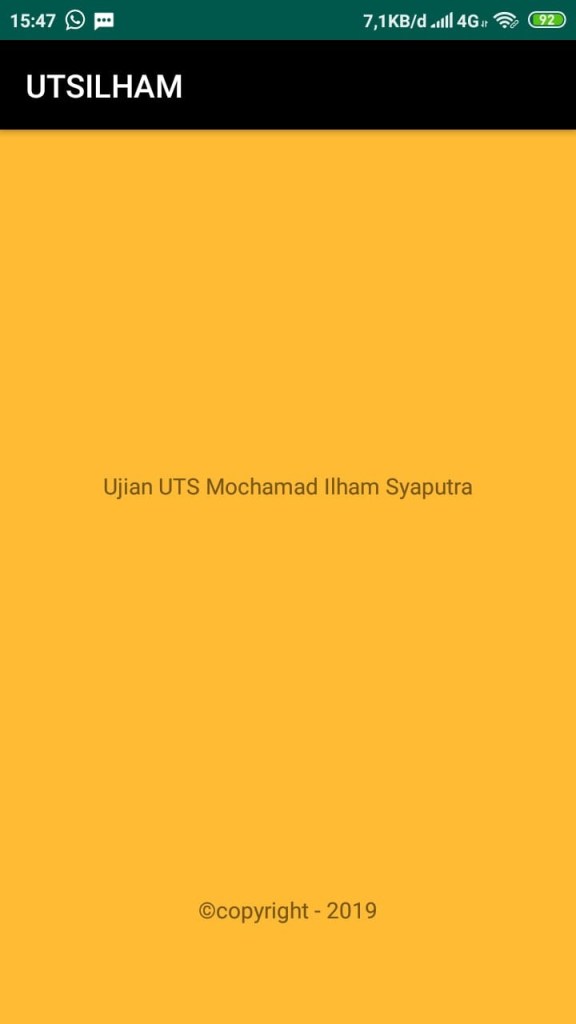
Ini hasil akihirnya seperti di gambar di atas. Kurang lebih saya mohon maaf dan terimakasih semoga bermanfaat dan membantu dalam tugas uts saya. Terima Kasih.
Mochamad Ilham Syaputra
161021450091
06TPLM001
Moblie Programing
 Mochamad Ilham Syaputra